How it works

The teacher sets the focus. Students keep working. You see the session, the result and the flag.

1. Set the focus

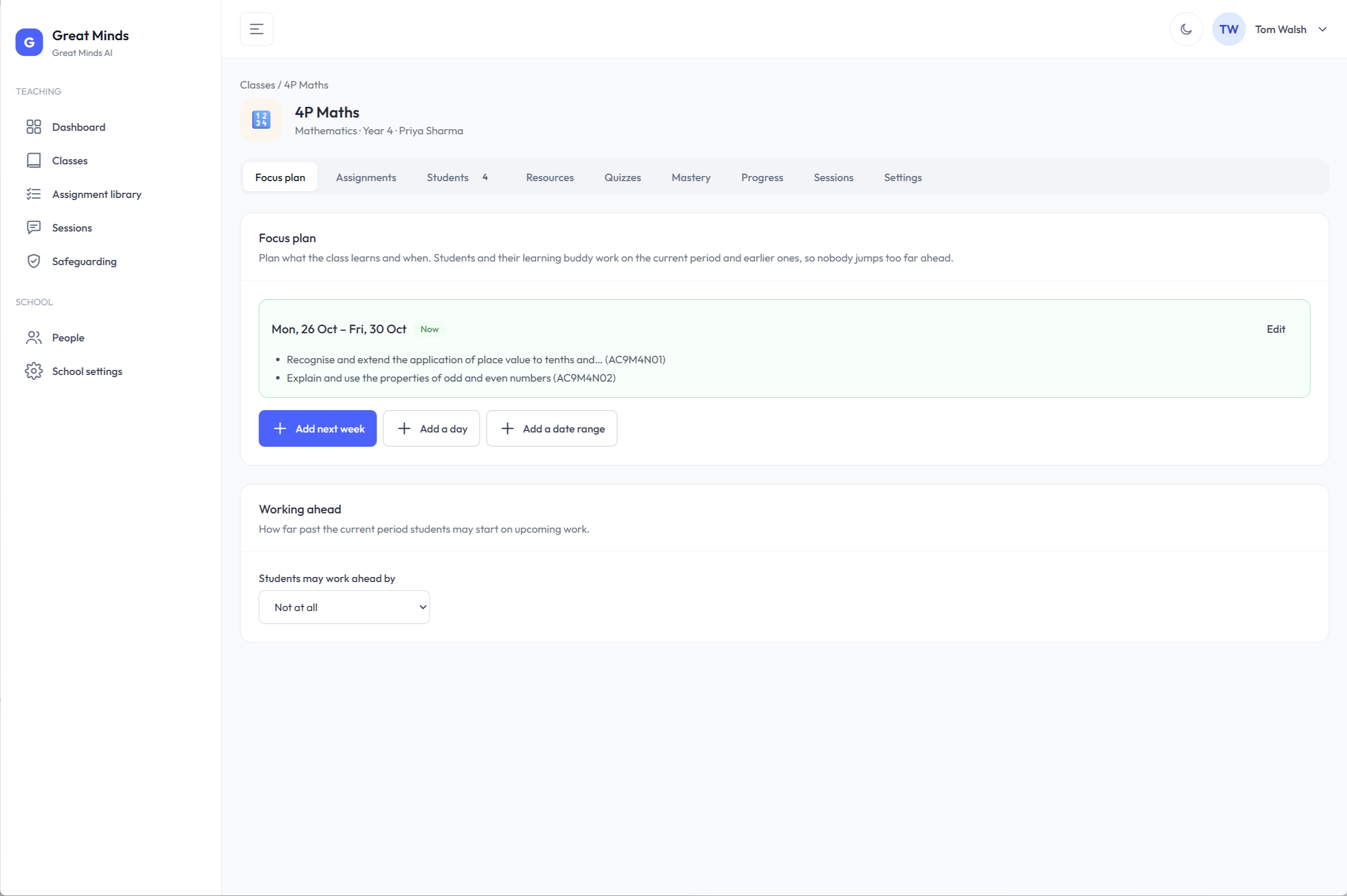
You plan the week or unit and pick Australian Curriculum codes. The platform stays locked to them.

Students can’t jump ahead unless you allow it.

See how the curriculum focus is set on the curriculum page.

2. Students work with their buddy

Questions, worked examples and tasks stay on the current focus.

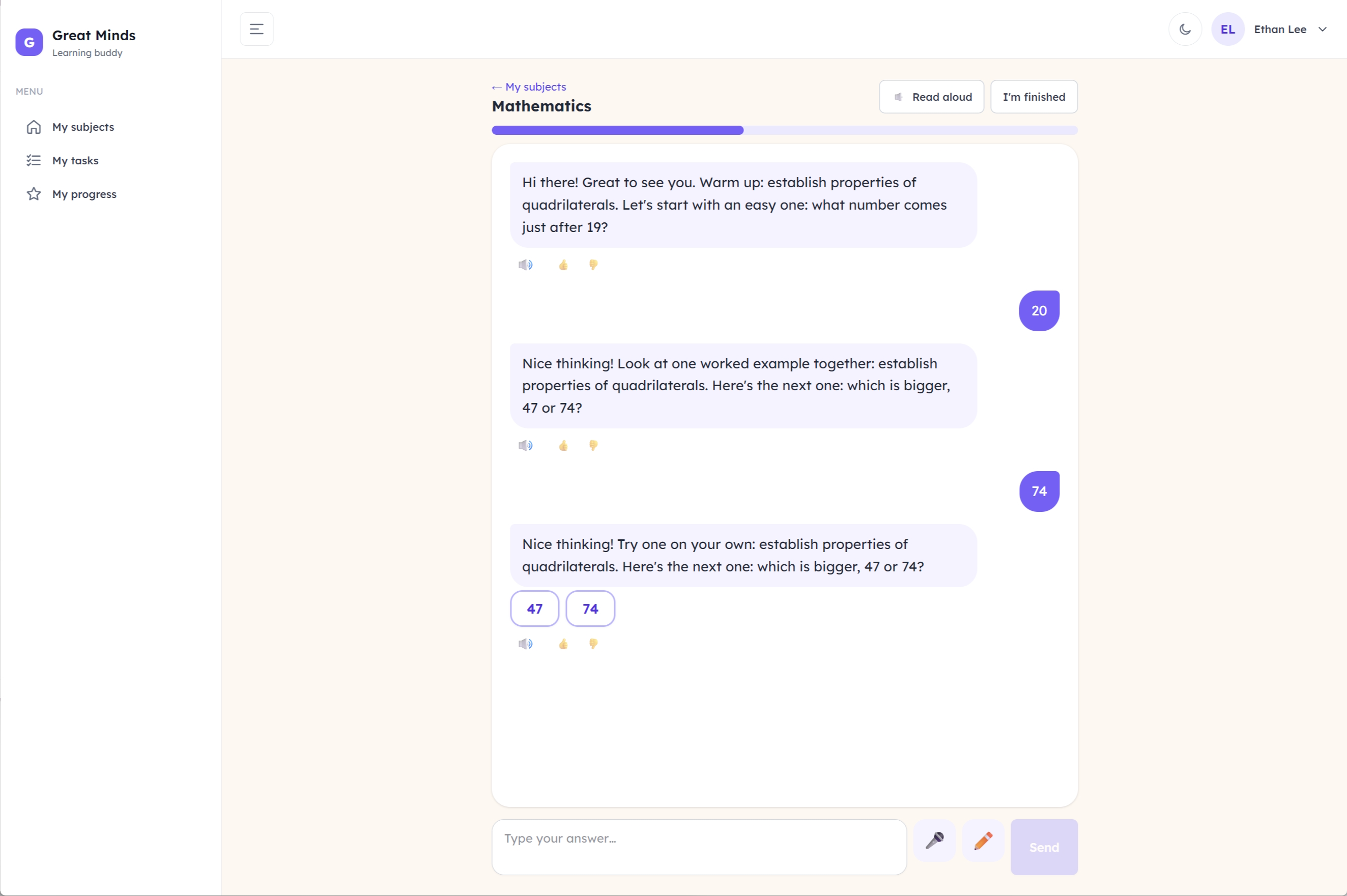
The learning buddy keeps conversation history, prompt history, safety flags and notes about the student, so it builds on what each student needs.

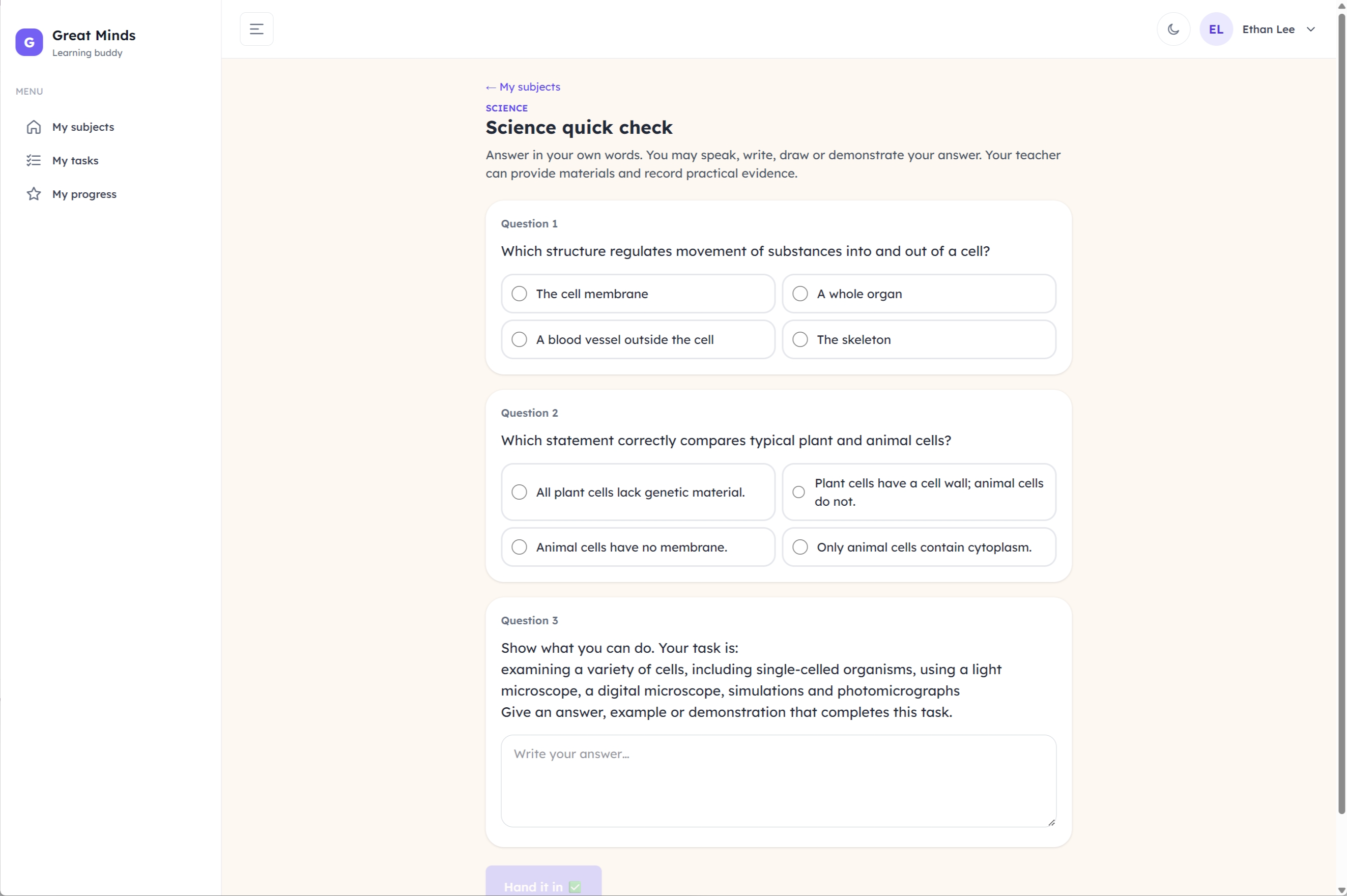
Short checks stay locked to the current step.

3. You see everything

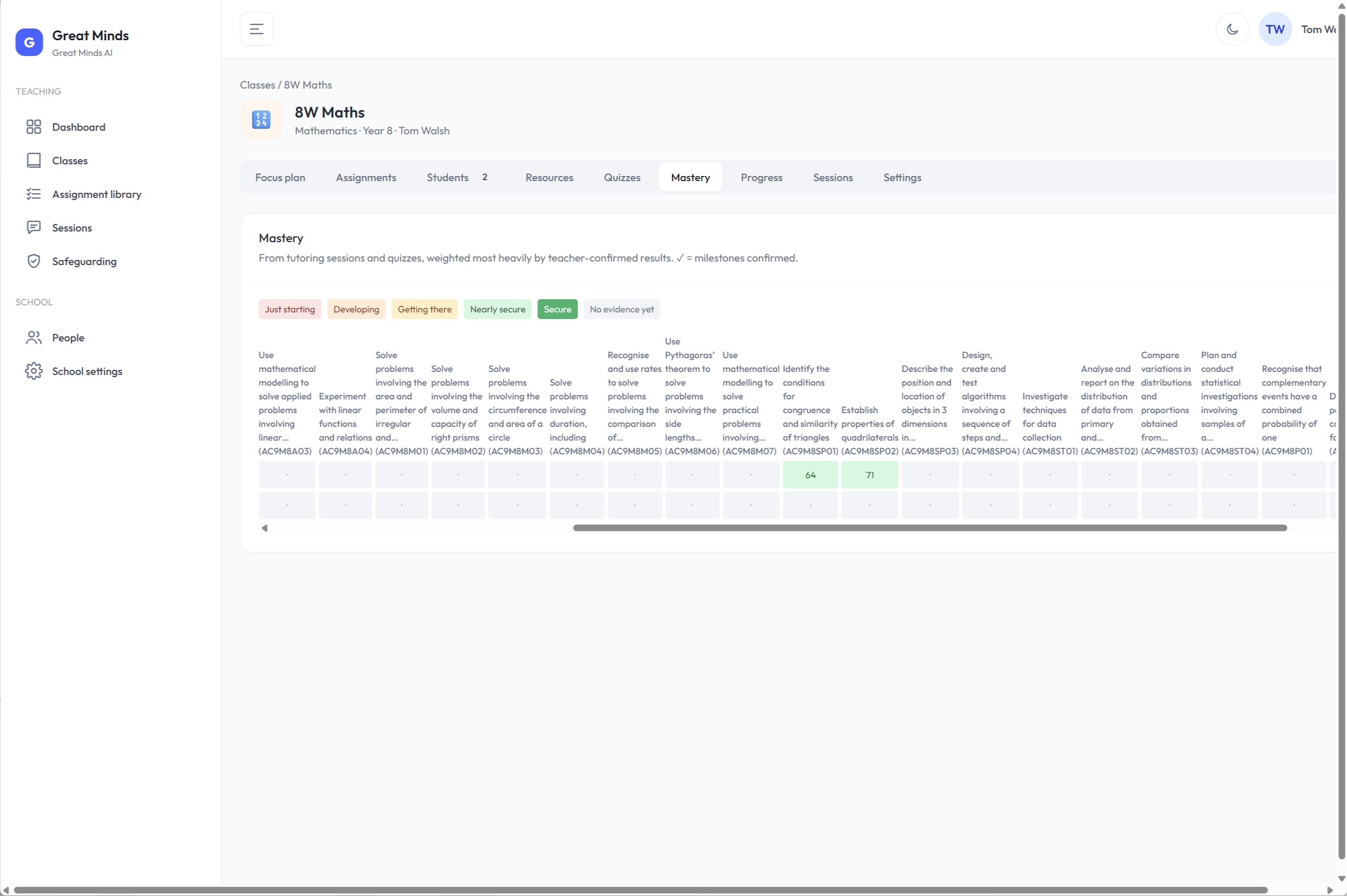
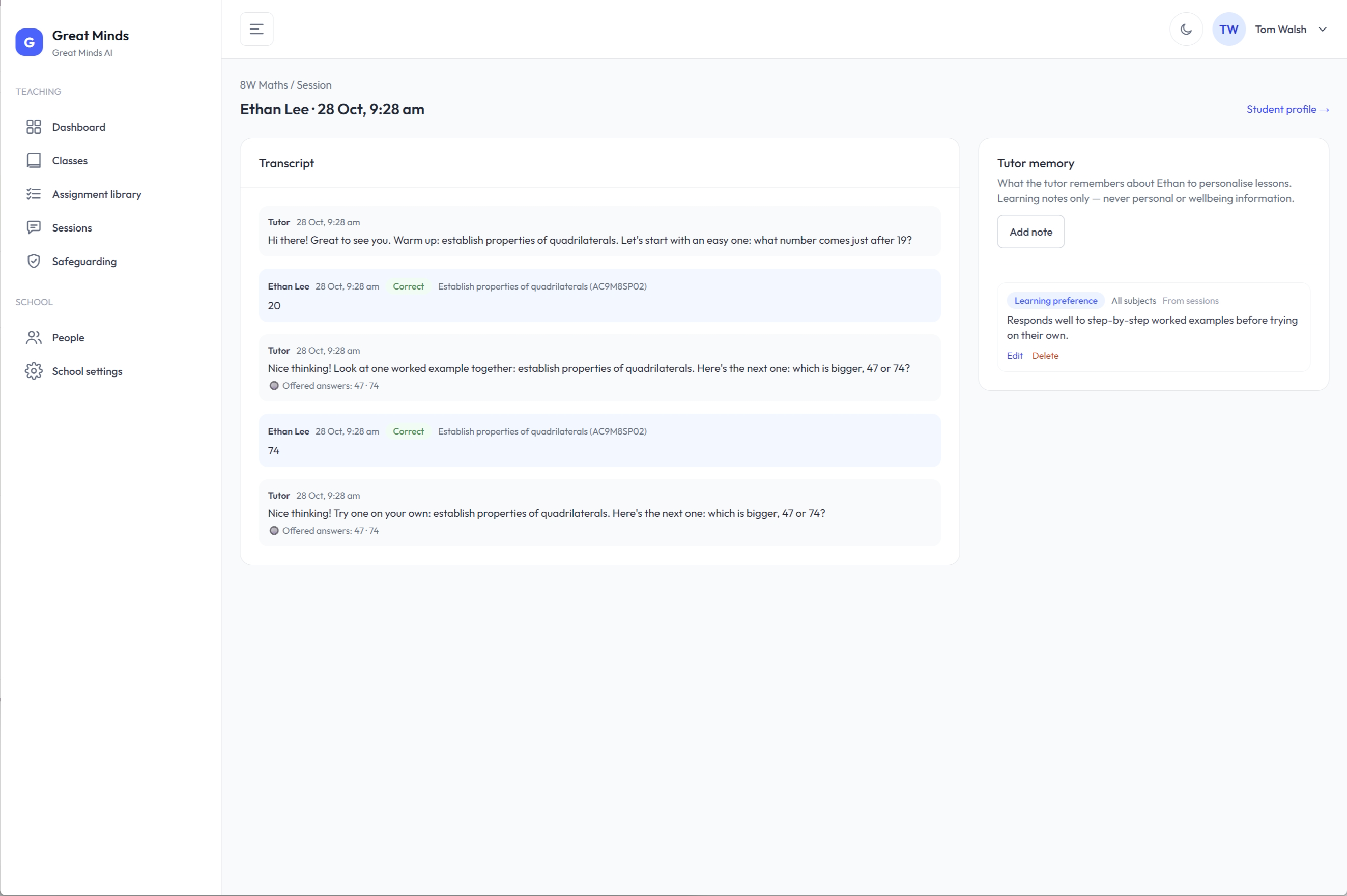
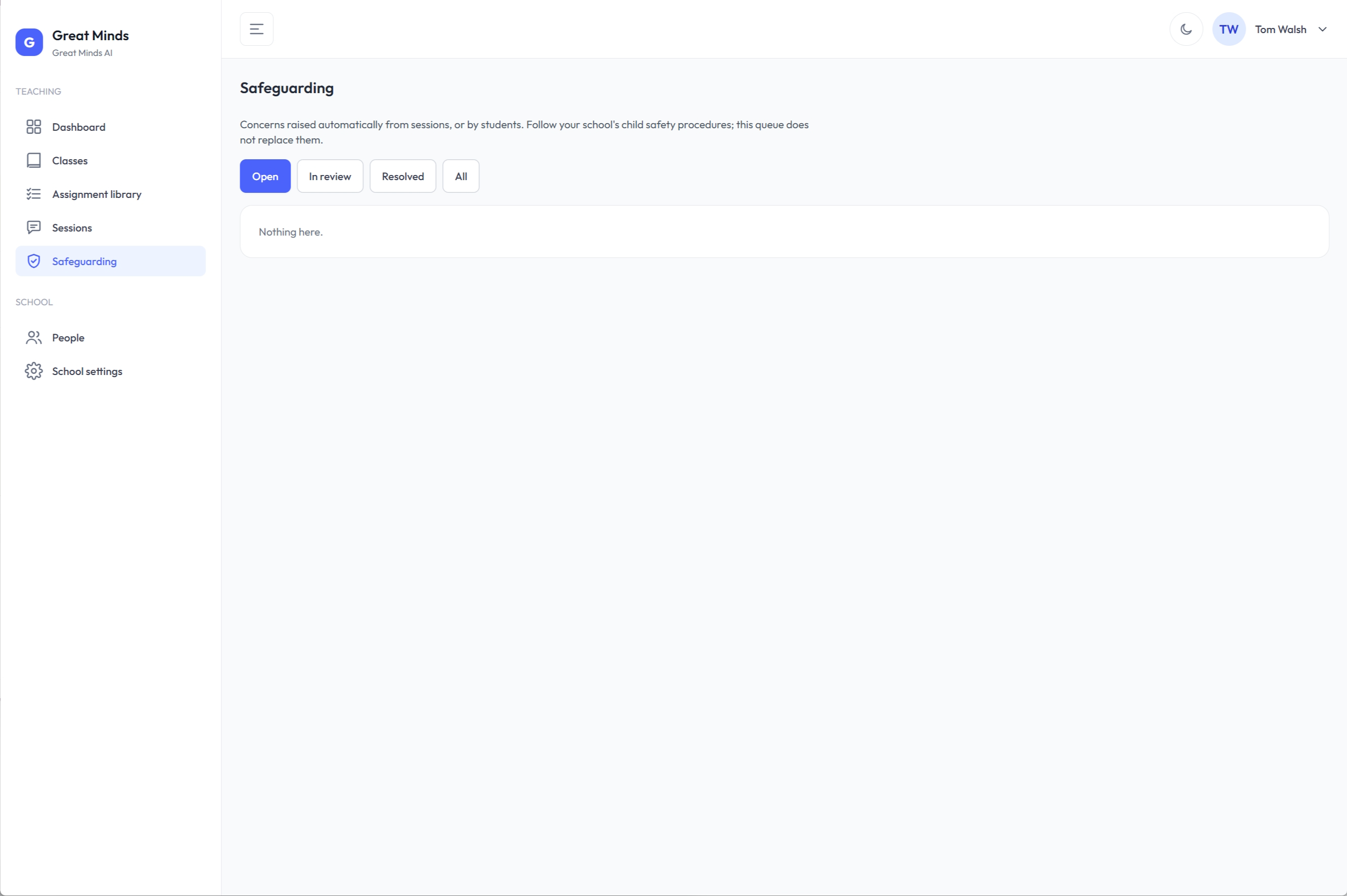
Session transcripts, the class mastery view, quizzes to check, and the safeguarding flag queue sit next to the work.

See how safeguarding sits next to the work on the safety page.

What a week looks like

  1. Set the focus.
  2. Teachers and students sign in with Google or Microsoft.
  3. Students work on the current focus.
  4. You review mastery and flags. See how flags and the session record work on the safety page.
  5. You adjust the focus.

What you need

  • It runs in a web browser.
  • Set-up takes under a week: about an hour for the initial set-up, then configuring and testing.
  • Teachers and students sign in with Google or Microsoft.
  • No LMS integration yet. Integration via Wonde is planned.

Join the founding schools pilot to talk it through. Read the pilot details on the pilot page.
Inside the classroom

A structured learning environment. Students move through the current focus. Teachers see the class, the session, and who needs attention.

Students

greatmindsai.app
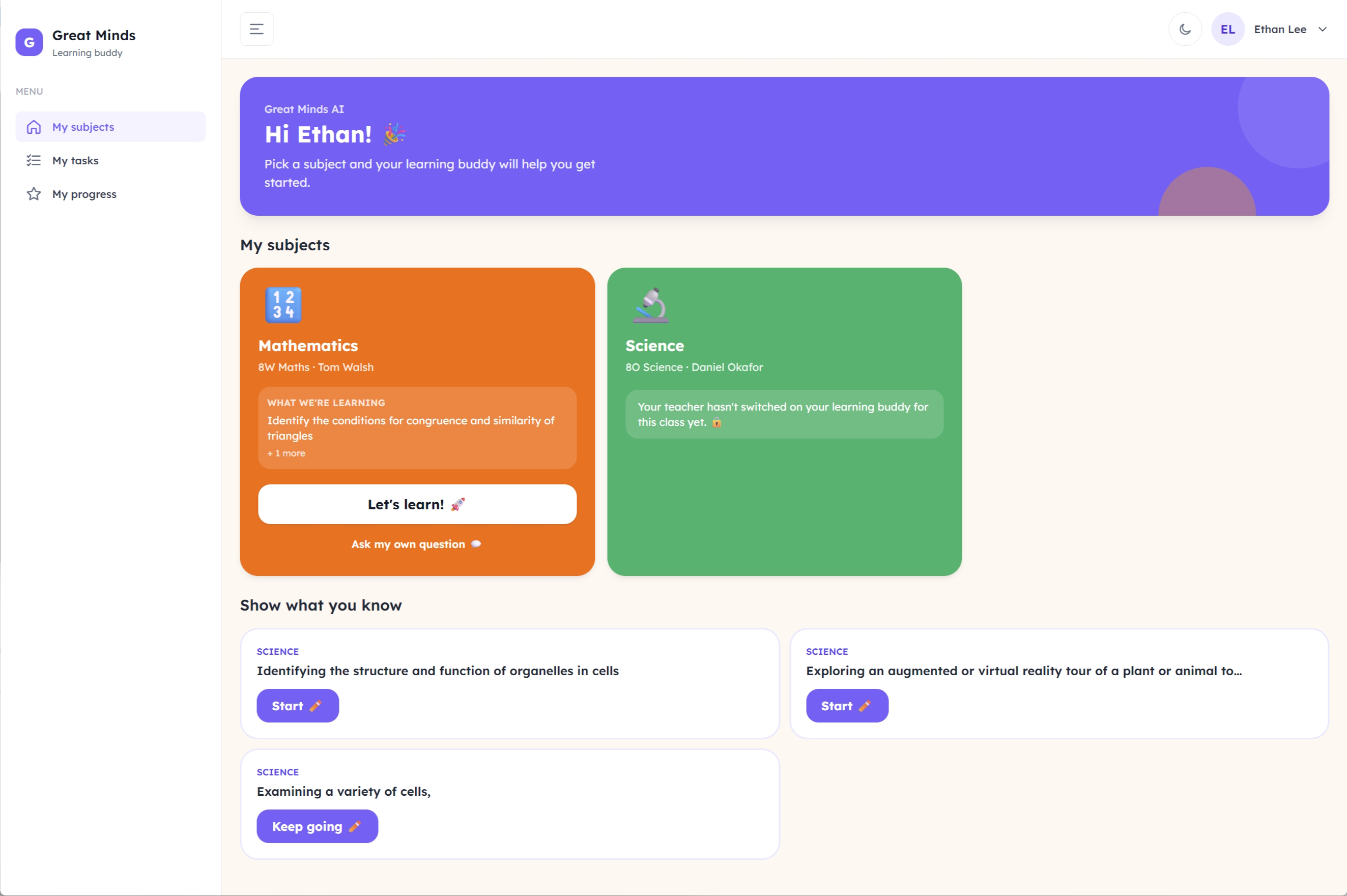
Student home on Great Minds AI, showing subjects, the current focus and tasks
Subjects, the current focus, and tasks to show what they know.
greatmindsai.app
A short student check locked to the current step of the focus
A short check, locked to the step they are on.
greatmindsai.app
A student working with the learning buddy on the current focus
The learning buddy, working through the current focus.

Teachers

greatmindsai.app
A class focus plan the teacher set for the week
The focus you set for the week.
greatmindsai.app
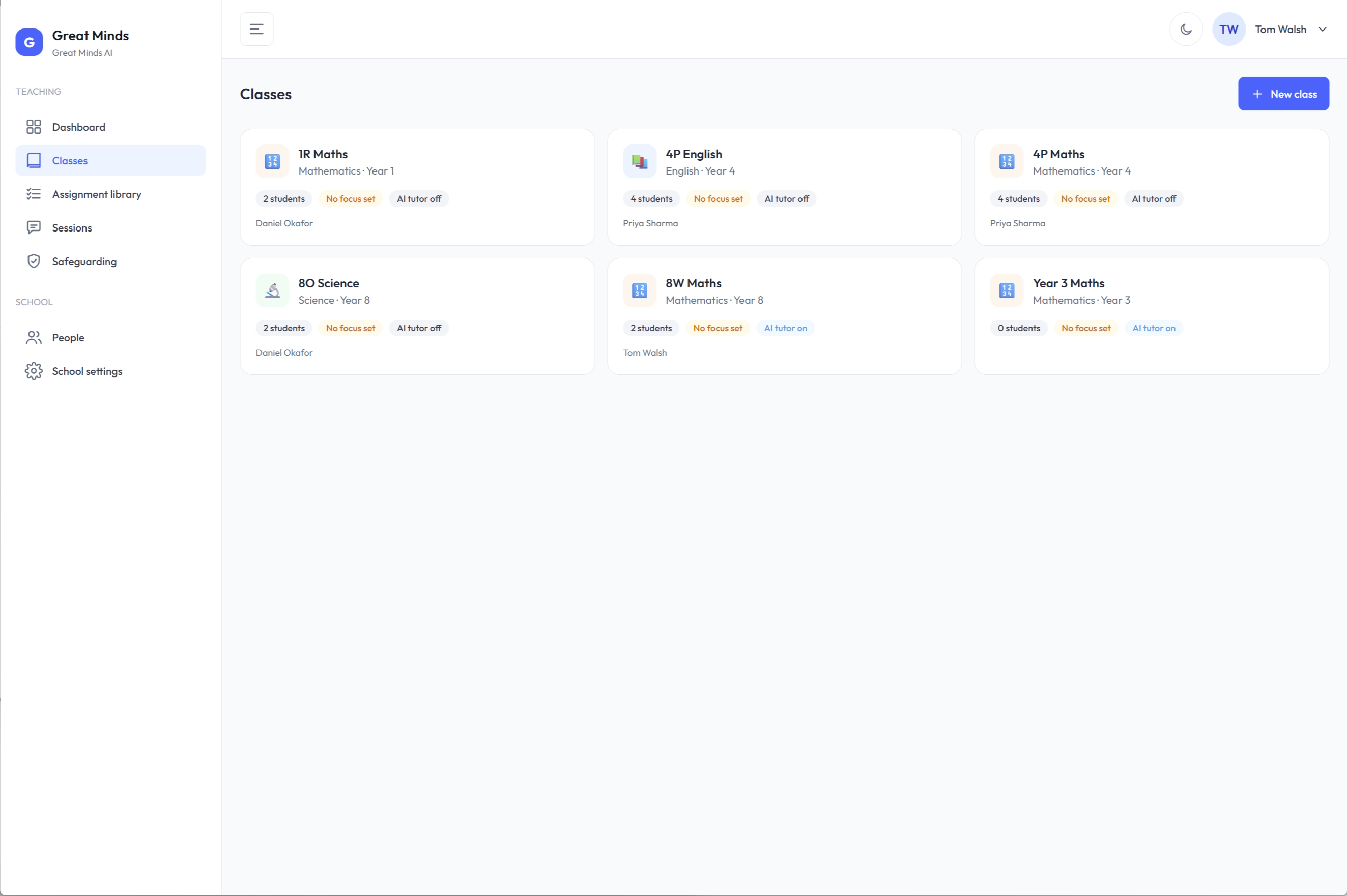
A teacher's classes, showing whether a focus is set
Every class, and whether a focus is set.
greatmindsai.app
A class mastery view of who has the focus and who needs the teacher
Mastery, across the class.
greatmindsai.app
A full session transcript a teacher can review
A full session, ready to review.
greatmindsai.app
The safeguarding flag queue next to the class work
Safeguarding, in the same place as the work.
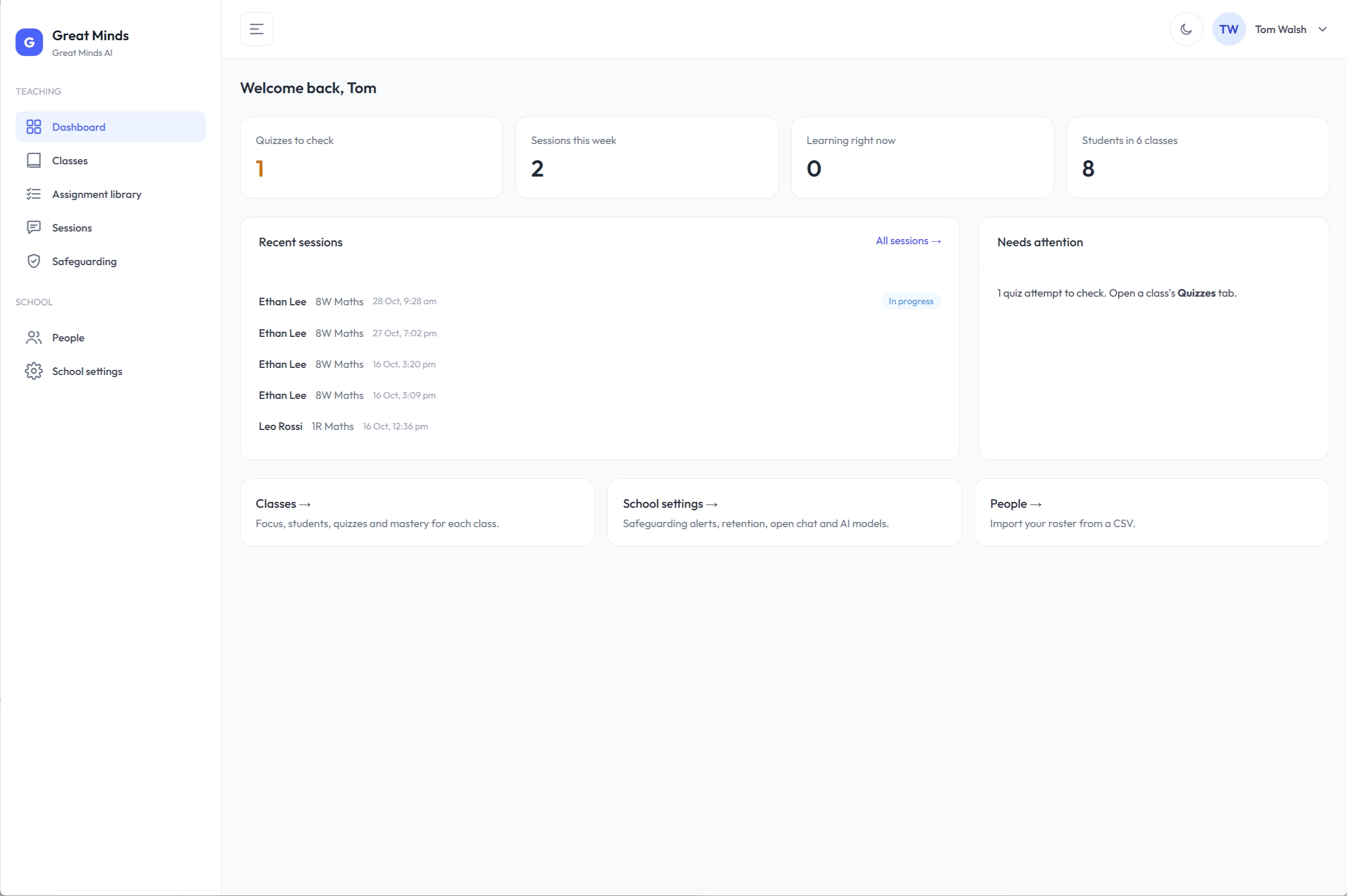
greatmindsai.app
The teacher dashboard showing what needs a look today
What needs a look today.

Now onboarding our founding schools. Founding schools help shape the product and receive ten weeks of complimentary access, then preferential early-adopter pricing. Join the founding schools pilot